
OUTRIDER
memecoin & crypto intelligence desk.
Everything you need to install, configure, run and host your own OUTRIDER desk: memecoin lanes, smart wallets, a real liquidation map, trend and funding books, and an operator console. Read it top to bottom the first time. After that, press / and search.
01What you bought
OUTRIDER is a Node.js program that watches crypto markets with live data and trades on paper. Its agents read news, public Telegram channels, every new pump.fun coin, on-chain wallets and Hyperliquid, then decide, size and exit trades against a simulated book that includes fees, slippage and failed transactions. Everything it does is written to a journal you can check.
OUTRIDER never places real orders. It has no wallet signer, never asks for a private key and holds no funds. The two modes are paper (live data, simulated fills) and alert (notifications only). Read What it is not before you rely on any number it prints.
02The parts
| Part | What it does | Page |
|---|---|---|
| Memecoin desk | Watches every pump.fun launch in real time, screens out bundles and serial creators, and trades five lanes on paper: the core EV gate, moonshot, graduation, revival and smart-money consensus. Every exit is graded afterwards. | Memecoin lanes |
| Wallet book | Builds every pump.fun trader's record from the on-chain stream, flags bots, snipers, dust wallets and creators, and keeps a list of up to 10,000 smart wallets. Outside lists (leaderboards, FOMO traders, GeckoTerminal pools) are candidates until they beat the crowd. | Smart wallets |
| Liquidation map | Reads the open positions of the largest Hyperliquid accounts and shows where their liquidation prices cluster, per coin, with Telegram alerts near large clusters. | Liquidation map |
| Other books | Trend following on BTC, ETH and SOL with leverage profiles, news-reaction perps, Hyperliquid copy, funding carry and cross-venue funding, HIP-3 basis, Polymarket, and a capital allocator. | Trend, leverage & books |
| Research tools | Record the pump.fun stream, replay it, tune parameters walk-forward, evolve strategies, score public price calls and verify the journal's hash chain. | Research tools |
| Dashboard and console | A live web dashboard on port 8790 and an operator console at /admin (owner account, roles, two-factor, audit log, settings). | Dashboard, Console |
| Telegram | Alerts to your chat and commands such as /status, /liq and /stop, answered only for you. | Telegram bot |
03Pick your path
04What is in the package
| Folder or file | What it is |
|---|---|
src/cli.mjs | The command line: every command in these docs starts here (node src/cli.mjs help lists them). |
src/desk.mjs, src/agents/ | The desk loop and its agents (news, scout, pump.fun, whale, risk, security, macro, trend, funding, Polymarket and others). |
src/lib/, src/lab/ | Shared logic (EV gate, lanes, wallet book, liquidation map, statistics, journal attestation, Telegram) and the research tools (recorder, replay, sweep, GeckoTerminal, FOMO, backtests). |
src/config.mjs | Every setting with its default and a comment. You override them in config.json. |
config.example.json | A small starting config.json. |
src/web/ | The dashboard server and page, and demo-data.mjs for sample data. |
src/admin/, vendor/mikodes-admin/ | The operator console: the desk's settings manifest and the vendored MIKODES Admin Kit. |
scripts/export-demo.mjs | Exports a static, read-only demo of the dashboard. |
test/ | The automated tests (npm test). |
data/ | Created at run time: state, journal, recordings, wallet lists, console database. Never commit it. |
A computer or server with Node.js 22 or newer, and, if you want them, your own keys: a private Solana RPC, Anthropic, Telegram and TypeSafe. None of these are part of the purchase. See Requirements.
05Try it before you install
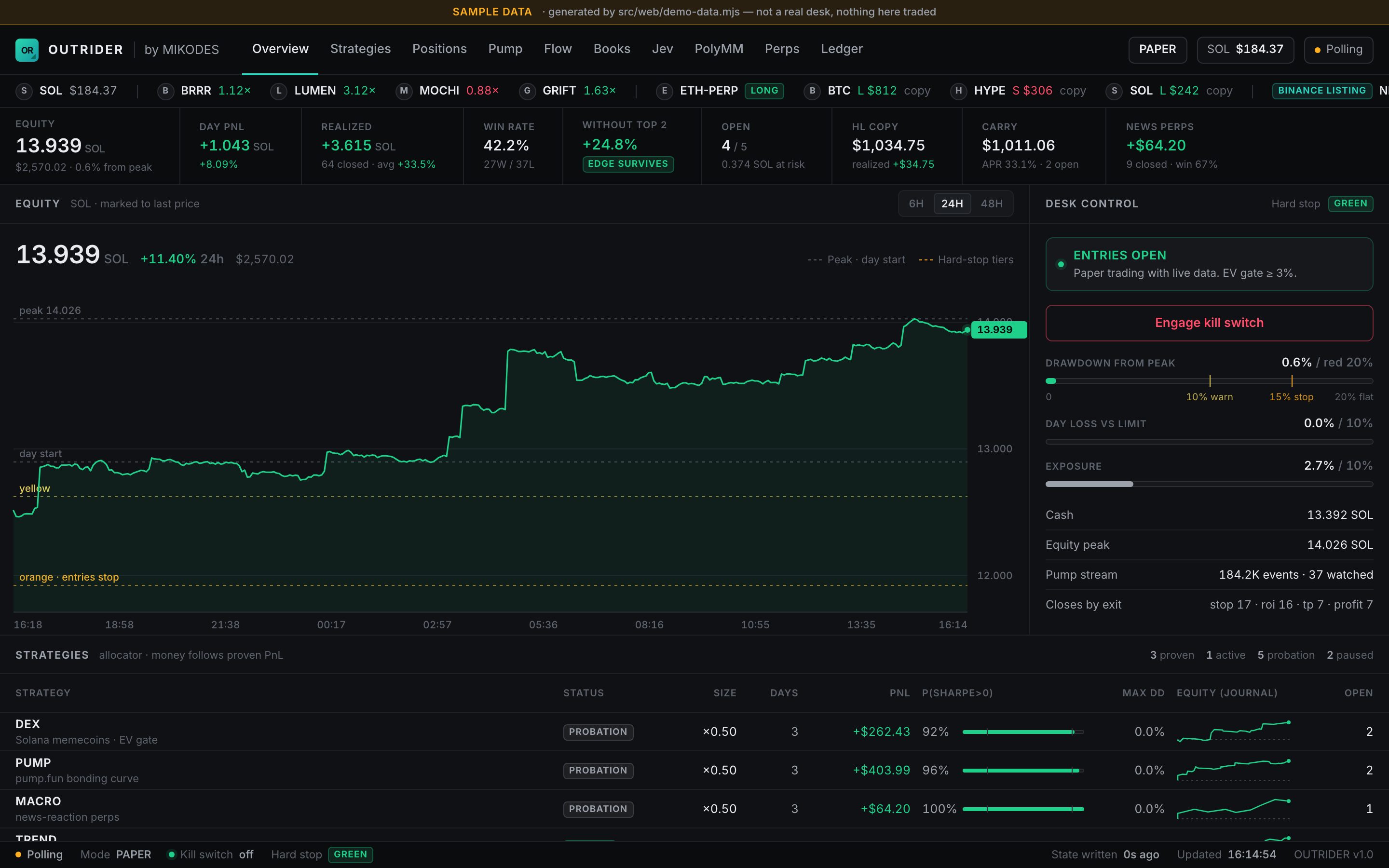
The live demo at the live demo is a static copy of the dashboard made with scripts/export-demo.mjs. Its paper book is sample data; the liquidation map and wallet panels may show a real snapshot. The kill switch there does nothing.
On your own computer you can see the same page with sample data before you configure anything:
node src/web/demo-data.mjs /tmp/desk-demo --serve 8791 # then open http://127.0.0.1:879106How to read these docs
- Dark boxes are commands. Press Copy and paste them into a terminal opened in the unzipped folder.
- Grey text after
#is an explanation. The Copy button leaves it out. - Text in angle brackets, like
<address>, is a placeholder. Replace it, brackets included. - The program's own messages call itself
desk, for example "rundesk liq". That meansnode src/cli.mjs liq. - Required marks steps you cannot skip. Optional marks keys and steps you can leave out.
- Not active in this version marks settings that appear in the console but do nothing yet.